Edit a test plan
Once you find the test plan you want to use, decide which way to edit the Overview section of the plan.
To edit a test plan:
Select the Test Plans tab in the left panel.
Choose the plan you want to edit and select Edit.
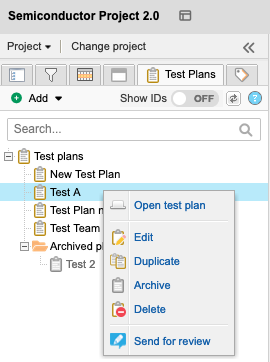
Make changes to the test plan as needed.
Select Save & done.
The test plan is saved with your changes.