Compare versions of an item
To track changes, you can compare different versions of an item.
To compare two versions of an item:
Select the Versions widget to open the bottom panel in Single Item View.
Select the two versions you want to compare, using the buttons in the From and To columns, then select Compare.
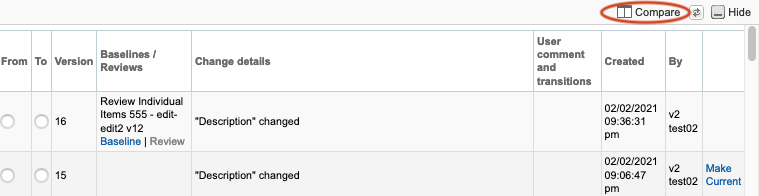
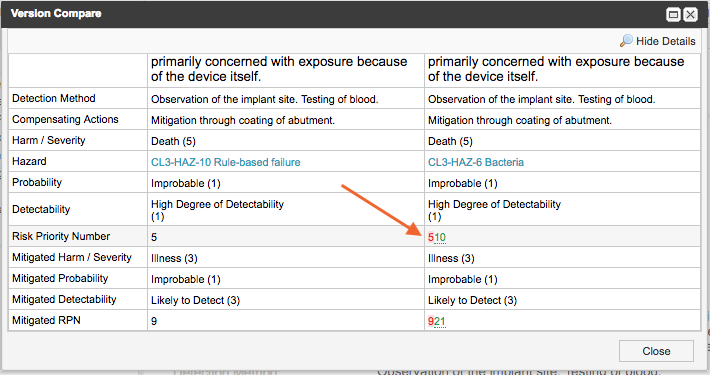
In the Version Compare window:
Selected From version is on the left.
Selected To version is on the right.
Changes are displayed inline.
Deleted text is red and highlighted.
Added text is green and underlined.
Tip
Select Hide Details to see a side-by-side view of the versions without the colored inline changes. Jama Connect highlights the entire field where the versions differ.