Delete change request associations
If you included an item in a change request and later determine that the item isn’t impacted by the change, you can remove or “disassociate” the item from the change request.
To delete an association:
In Single Item View, select Change Request to open the bottom panel with a list of associated change requests.
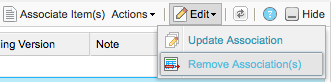
Select the row with the item you want to update, then select Edit > Remove Association.
The screen is refreshed, and the associated item is removed.