Use workflow to batch transition items in reviews
With batch transitions, you can select multiple items of the same item type and transition them to a different workflow status.
Important
The items you select for transition must be the same item type and workflow state.
To use workflow to batch transition items in reviews:
When you're in a review, select Stats > Item progress.
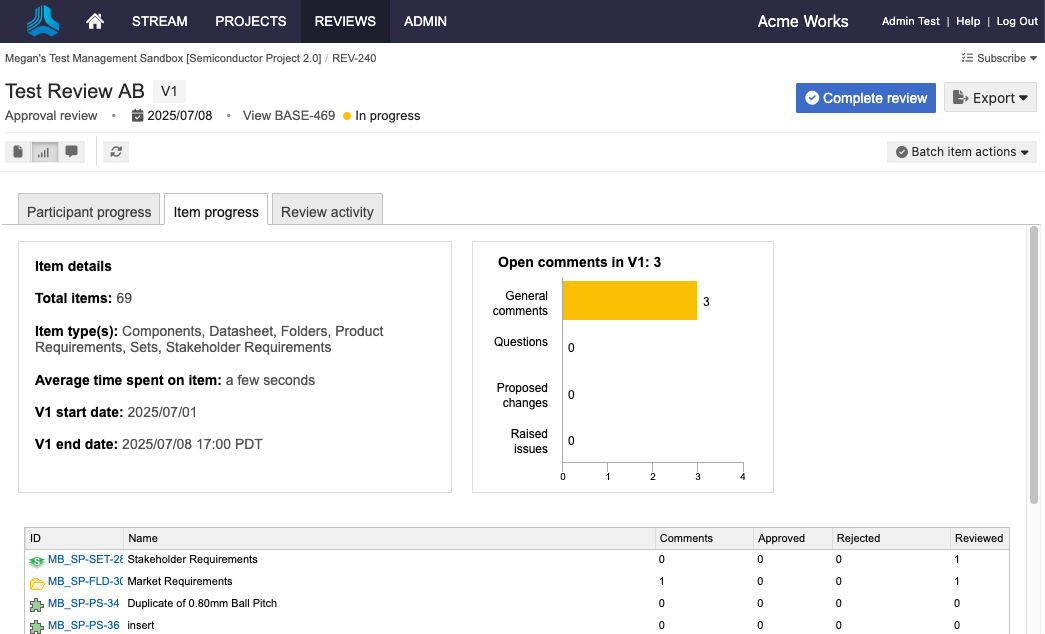
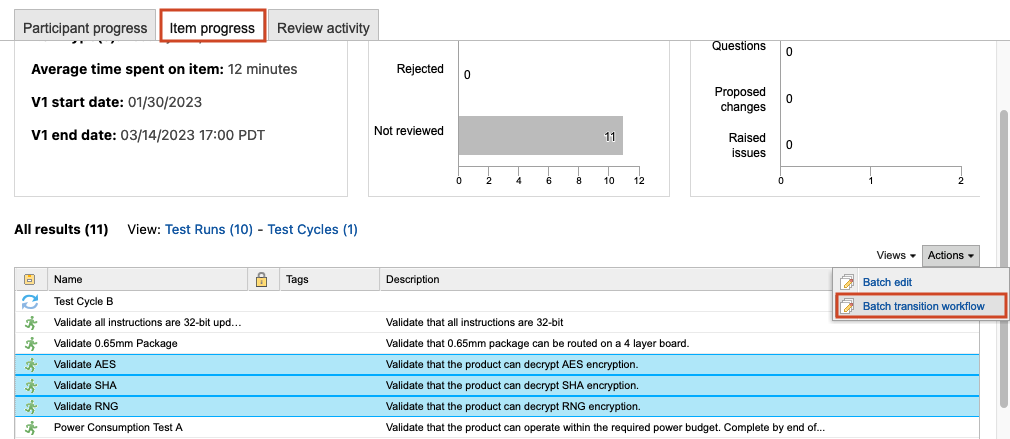
Scroll to the bottom of the page and choose multiple items of the same item type and workflow state using the Shift or Ctrl keys, then select Actions > Batch transition workflow.
Note
You can also batch update non-workflow fields, but you can't batch delete from here.
In the window that opens, choose the set of items you want to update and the intended workflow transition, then select Commit.
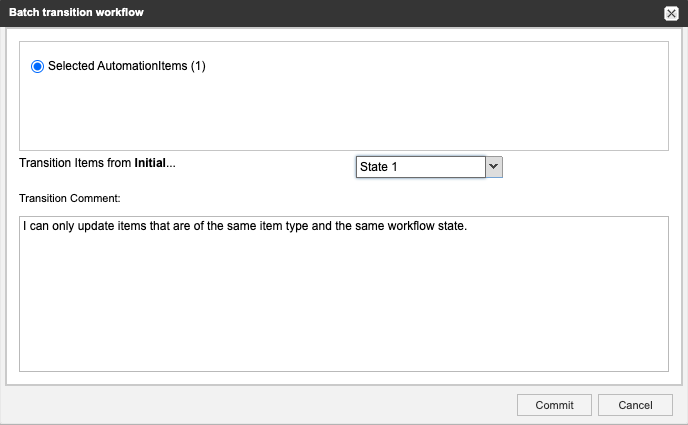
If the workflow doesn't have another transition state to select, you don't have permission or the item is locked. A pop-up window displays a warning that you can't proceed.
The selected items are transitioned to the workflow state you chose.