View Collaboration Stream at a project level
You can view the Stream at a project level, you see comments and activities for the entire project in the project dashboard.
Important considerations
Any comments you enter at this level automatically refer to the selected project.
If the Stream doesn't already appear on your project dashboard, a project or organization admin can add it.
To view a project-level Stream:
Open the project dashboard using one of these methods:
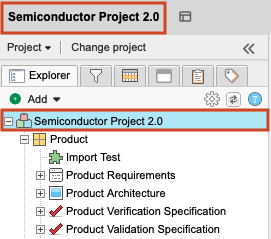
Explorer Tree — Select the main project level in the Explorer Tree or select the name of the project just above the Explorer Tree.
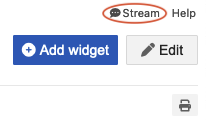
Stream — Select Stream (comment bubble) in the upper right navigation.
The project dashboard displays all comments and activities for that project.