Subscribe other users to email notifications
You can subscribe other users to a single item or to multiple items.
Only a system, organization, or project admin can subscribe others to all items at a project level.
To subscribe others to email notifications:
To subscribe others to a single item, choose the item in Single Item View, then select Subscribe > Subscribe others.
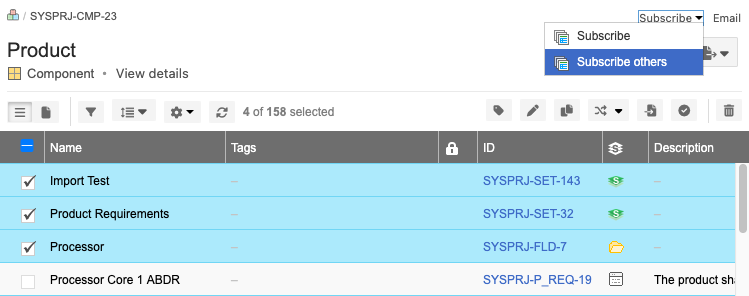
To subscribe others to multiple items:
Open the items in PROJECTS > List View.
Choose the items that you want others to subscribe to, then select Subscribe > Subscribe others.
In the window that opens, choose the groups or users that you want to subscribe to the selected items.
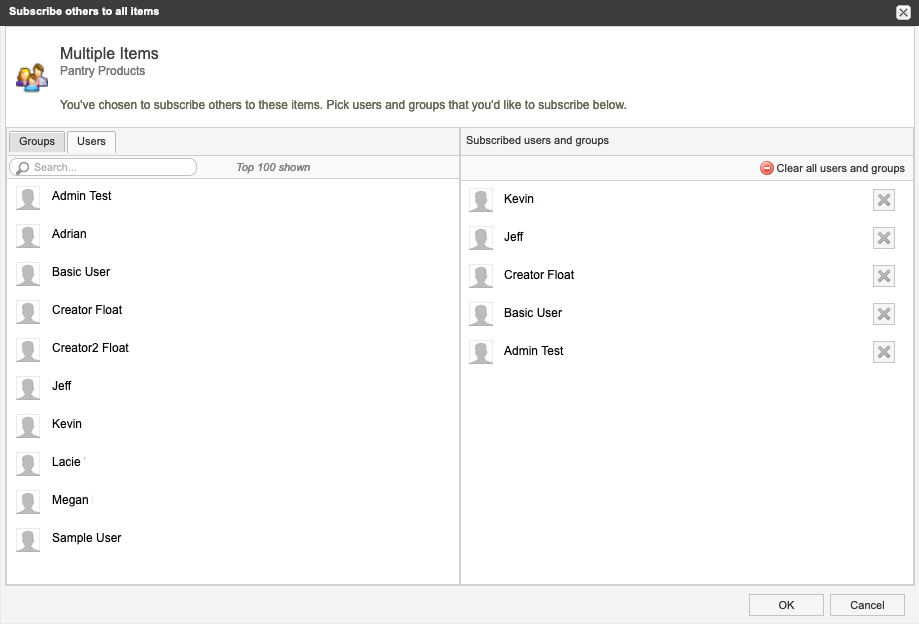
Select OK.
The users you chose will now receive email notifications for the selected items.