Sign a review electronically
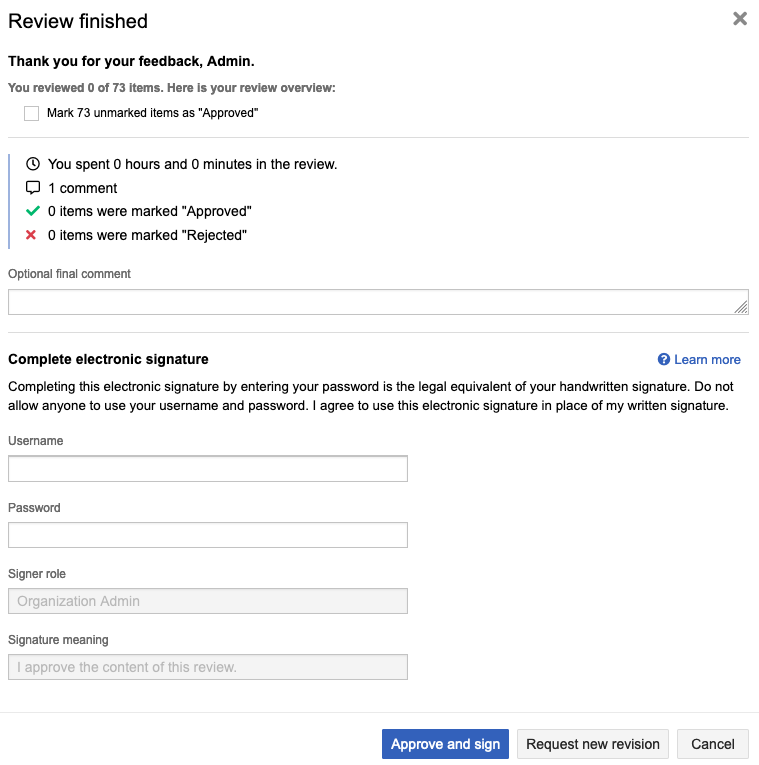
If a review requires an electronic signature, you are asked to add a signature when you finish a review as an approver.
To electronically sign a review:
In the Review finished window, enter your username and password as your electronic signature.
If your organization uses SAML, the SAML authentication window opens, where you enter your username and password.
Select Approve and sign to complete the review.
If email notifications are enabled, an email is sent to the moderator or other participants to let them know you’re done with your work.